People go looking for a Skylight Calendar alternative for one of three reasons: the price (the 15" model is $299.99 before you've bought anything else), the $79/year Plus subscription that gates most of the marquee features, or the simple fact that it's another screen to buy when the house is already full of them. Whichever brought you here, these are the six options we'd actually consider. One of them, Callie, is ours; we've marked it.
1. Hearth Display: the premium touchscreen
Hearth is what you cross-shop if Skylight feels flimsy rather than expensive. It's a 27" portrait touchscreen with a strong point of view about routines: kids get their own morning and evening checklists, and the software nudges habits, not just events. You pay for that framing. The display is $699 (it runs sales), plus a membership at $9/month after the first month, which puts five years comfortably north of $1,100. If you're deciding between the two big screens, we compared them directly in Skylight vs Hearth.
2. Cozi: the app-only veteran
If what you wanted from Skylight was the shared calendar and lists rather than the wall presence, Cozi does that on the phones you already own. The free tier now carries ads and a 30-day calendar window, so budget for Cozi Gold at $39/year if you live more than a month ahead. No wall screen, though. The calendar stays in pockets, which is the problem wall displays exist to solve.
3. Echo Show 15: the no-subscription screen
Amazon's 15.6" Echo Show costs $349.99 and needs no subscription for the calendar (an all-day photo slideshow is $2.99/month extra and needs Alexa+). Alexa widgets cover a shared calendar, lists, sticky notes, and reminders, and it streams video while you cook. The calendar is serviceable rather than great; widgets feel like widgets, and you're inviting Alexa into the kitchen. But "one price, done" is a legitimate reason to pick it over Skylight.
4. DAKboard: the tinkerer's dashboard
DAKboard turns any HDMI screen into a clean dashboard of calendar, weather, and photos; the classic setup is a Raspberry Pi wired to a wall-mounted monitor. The free plan handles two calendars on a predefined layout, and custom layouts run $5–10/month. It's display-only (no touch, no adding events), which matters less than people expect: you add events on your phone anyway. Our DIY guide covers the Pi build next to the alternatives.
5. Mango Display: software for the screens you have
Mango Display is the closest thing to "Skylight as an app": calendar, chores, meal plan, and photos on a smart TV, Fire TV stick, spare tablet, or Echo Show. The free plan leaves calendars out, so a family calendar means Pro, at $5.99/month or $59.99/year. It casts a wide net across platforms, which is its strength; the trade-off is a dashboard-y look that shows its digital-signage roots.
6. Callie: the family calendar on the TV you own (ours)
Callie starts from the observation that the biggest, best screen in the house is already on the wall. It puts a color-coded family week on an Apple TV, Fire TV, or Google TV, an iPad, iPhone, or Mac, any web browser, and TRMNL e-ink displays, with the same tricks the displays sell: everyone in their own color, automatic tagging of whose event is whose, a photo frame that pulls from your iCloud or Google Photos shared album, and shared lists with weekly reminders for trash day. You connect Google or Outlook, or paste the link an iCloud calendar publishes, so setup is sign in or paste a link, not migrate a calendar.
The price is the point: free for now, then $3 a month or $30 a year per family, unlimited screens, up to six family members with their own sign-in. Once paid plans start, five years of Callie costs $150, less than one year of Skylight hardware plus Plus. The limits are real, too: for now the Google TV app is in a Google Play test (anyone can join), and a TV isn't a touchscreen, so events get added from your phone rather than at the wall.
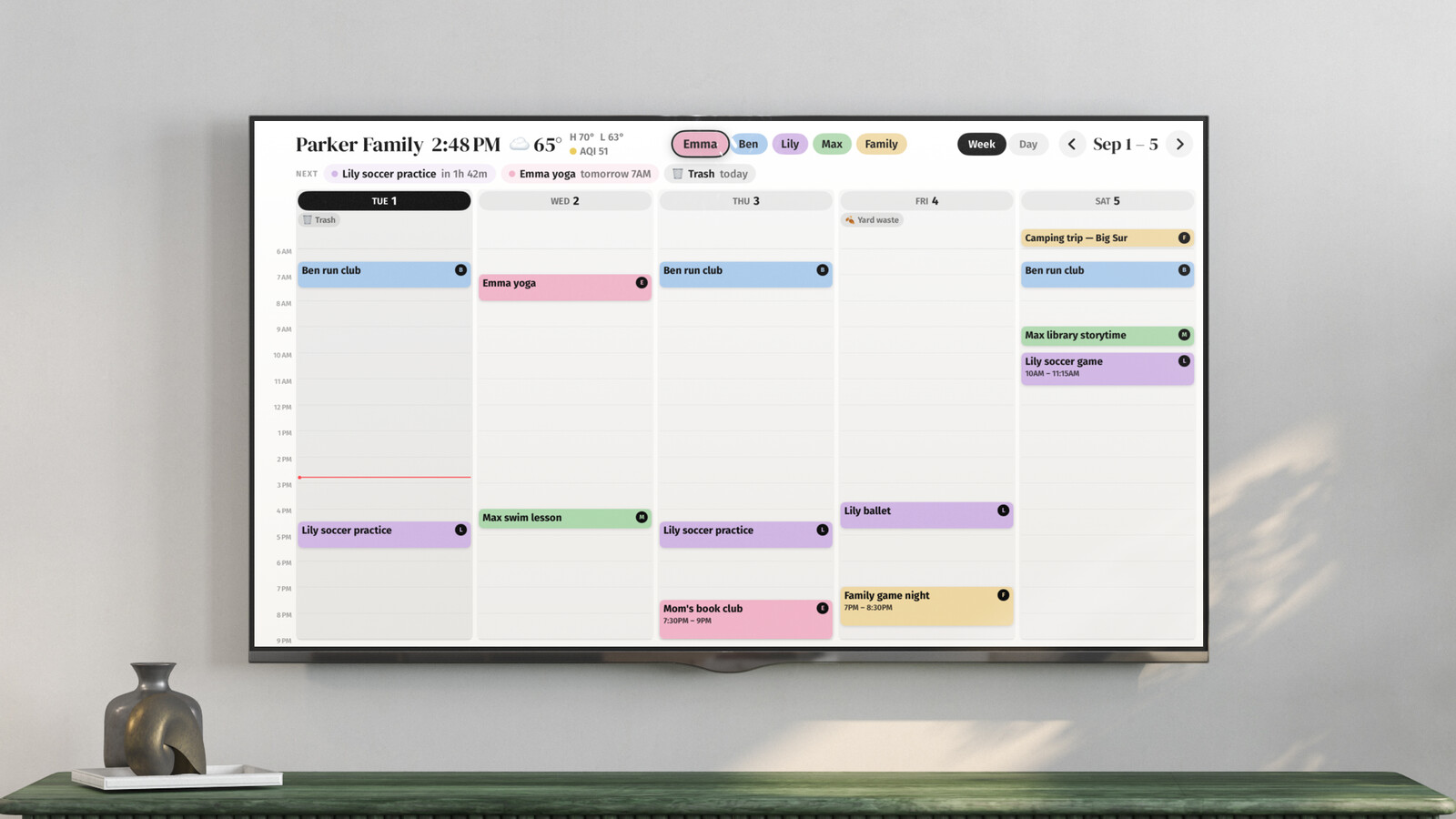
The short version
| Alternative | Up front | Ongoing | Best when |
|---|---|---|---|
| Hearth | $699 | $9/mo | routines for kids matter most |
| Cozi | $0 | $0–39/yr | phones are enough |
| Echo Show 15 | $349.99 | $0 | you want one price, no sub |
| DAKboard | your hardware | $0–10/mo | you enjoy the build |
| Mango Display | your hardware | $5.99/mo | you have a smart TV or Fire stick |
| Callie | your TV or tablet | free for now, then $3/mo | you own a streaming box or tablet |
Apart from Hearth, which costs more and knows it, every option here undercuts a Skylight 15" with Plus over five years, most by hundreds of dollars. The question that sorts them is what you're buying: touch at the wall (Hearth), one clean price (Echo Show), a project (DAKboard), or software on screens you own (Mango, Callie).


