Skylight and Hearth are the two names that come up when a family decides to put money into a wall calendar. They look similar in photos (big touchscreen, color-coded week, kids' chores) but they're built around different theories of what a family display is for. We make Callie, a software competitor to both, so read us as an informed rival rather than a neutral referee. Prices below are list as of October 2026.
The hardware and the bill
| Skylight Calendar 15" | Hearth Display | |
|---|---|---|
| Screen | 15.6" landscape touchscreen (10" and 27" also sold) | 27" portrait touchscreen |
| Hardware price | $299.99 with Plus ($319.99 without) | $699 (it runs sales) |
| Subscription | Plus, $79/year after a free month; optional but gates key features | Membership, $9/month after first free month |
| Five-year total | ~$695 with Plus | ~$1,230 at monthly rates |
Hearth runs close to double over five years at monthly rates; its annual plan ($86.40/year) narrows the gap to about $1,130 but doesn't close it. That's the first fork in the road: if you're not prepared to spend $699 on the screen alone, the decision is already made.
What Skylight is for
Skylight is calendar-first. It syncs Google, Apple, and Outlook calendars, color-codes the family, runs a chore chart, and with Plus adds Magic Import (email a schedule, get events), meal planning, a photo screensaver, and chore rewards. It's the pragmatic pick: the biggest ecosystem of sizes, the lower entry price, and a mature product that mostly stays out of your way. The recurring complaint is the Plus paywall: the features in the marketing are the features behind the $79/year.
What Hearth is for
Hearth is routines-first. The calendar is there, but the product's heart is kids checking off their own mornings: visual routines, streaks, a "Hearth Helper" assistant, and a portrait orientation that reads like a poster rather than a spreadsheet. Families with young kids who need the 3:10 pickup and the shoes-teeth-backpack sequence get the most from it. It's also the more designed object, which is part of what the $699 buys.
Where each one wins
- Kids' independence: Hearth, clearly. Routines are the product, not a feature.
- Calendar depth and flexibility: Skylight, with more sizes and a longer feature list, as long as you're paying for Plus.
- Total cost: Skylight, at a little over half of Hearth over five years.
- Subscription required? Both, in practice. Skylight's is nominally optional; Hearth's membership is the expectation from day one.
The third option both companies would rather you not run the numbers on
Both products are, at bottom, a screen on the wall showing the family's week in colors. If your living room already has a screen (an Apple TV or Fire TV under the television, an iPad on the counter), software gets you the same glanceable week without the second purchase. Callie does exactly that (free for now, then $3 a month or $30 a year per family, on the App Store for Apple TV): everyone in their own color, automatic name-tagging, photos from your iCloud or Google Photos shared album, lists and trash-day reminders. What it doesn't do is touch-at-the-wall or Hearth-style routine coaching: events come from your phone, and the TV is the display.
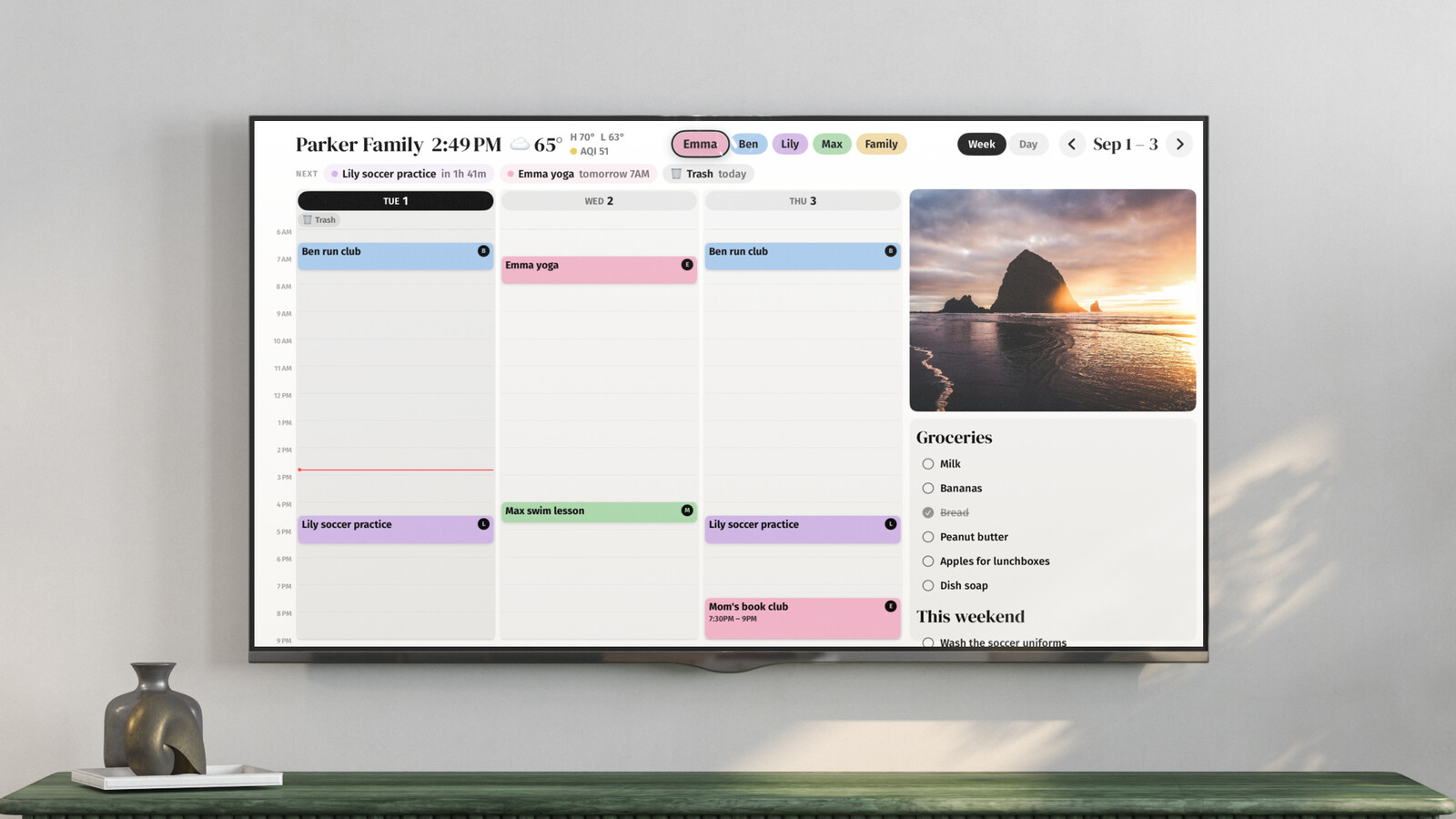
So: Hearth if the routines sell you and the price doesn't scare you. Skylight if you want the touchscreen calendar at the sanest hardware price. And if what you really wanted was the week on a big screen, try the TV you already own before spending $299.99 to find out.


